Best YouTube Thumbnail Fonts in 2026: 10 Typefaces That Get Clicks (and the Ones to Avoid)
Bebas Neue, Anton, Impact, Obelix Pro — the fonts top YouTubers use and why. Plus the font choices that quietly kill mobile readability. Every typeface in this guide is tested at 120px wide.
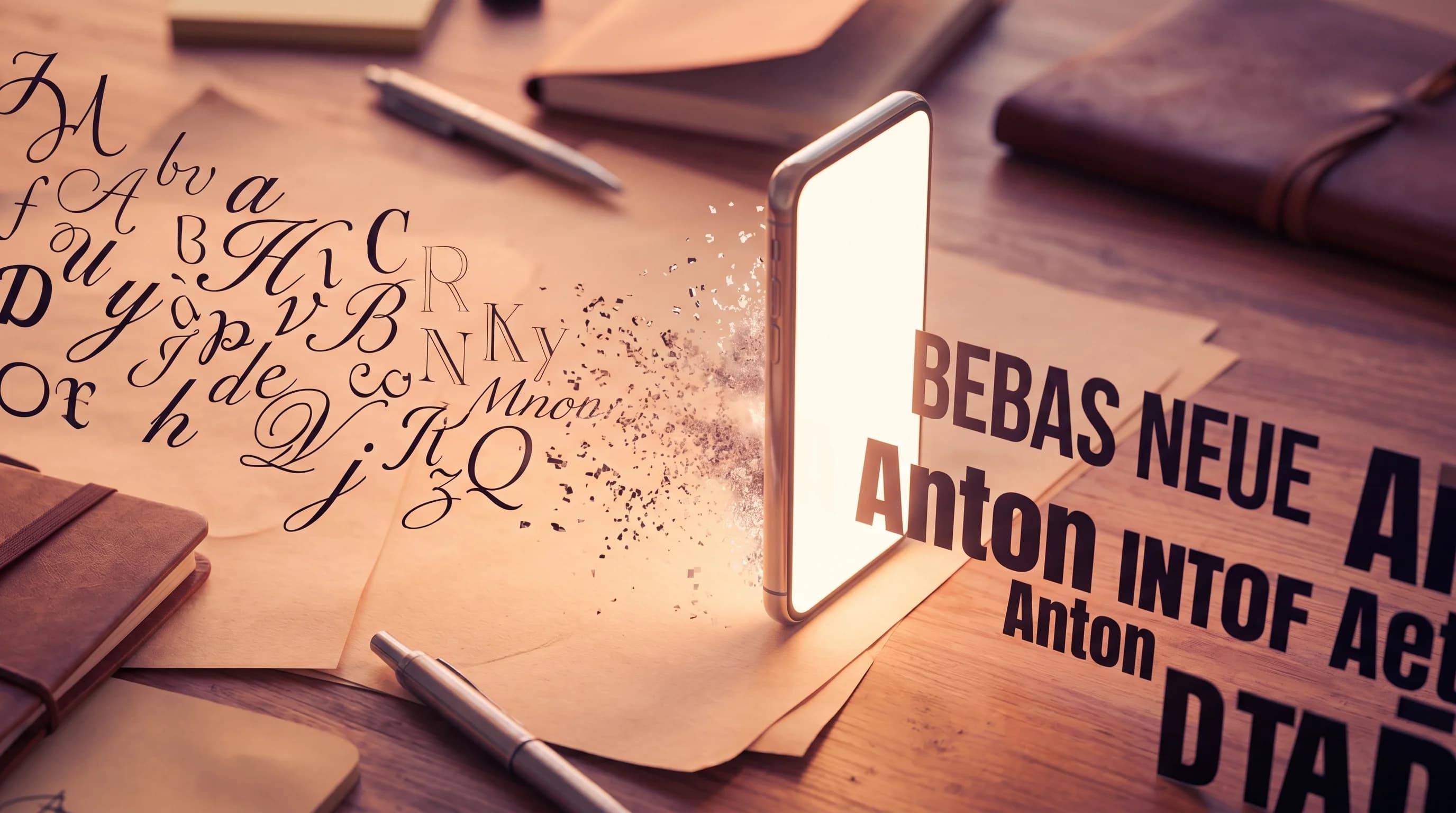
The single biggest reason a thumbnail underperforms is illegible text. Not bad design, not weak imagery — text that breaks down at the size where the click actually happens. On a phone feed, your thumbnail renders at roughly 120 pixels wide. Thin fonts evaporate at that scale. Script fonts turn to noise. Default system fonts blend into every other thumbnail in the feed.
The fonts that win in 2026 share three traits: heavy weight, condensed letterforms, and a personality strong enough to register in a sea of competing thumbnails. Below is the working list of the 10 fonts I see most often on top-performing YouTube channels, what they cost, where to download them, and how to pair them. Followed by the typography choices that quietly destroy CTR — and what to do instead.
The Mobile Readability Test
Before we get to the list, here's the only test that matters. Open any thumbnail you're considering, scale it down to a 1.5-inch width on your screen (this approximates the ~120 px mobile render), and ask:
- Can I identify the text in under one second?
- Can I read at least the first word without squinting?
- Does the typeface have a recognizable shape, or does it look like a generic block of text?
Every font below passes this test. The fonts in the "avoid" section at the end fail it consistently. If you're unsure how your current thumbnails score, the free thumbnail checker tool flags low-readability text automatically.
1. Bebas Neue — The Universal YouTube Font
If you only learn one font, learn this one. Bebas Neue is the most-used YouTube thumbnail font in 2026 across every niche I track — gaming, tech, finance, vlogs, education. Free under the SIL Open Font License, available on Google Fonts, condensed letterforms that pack into tight spaces, all-caps by default which removes one decision from the designer's plate.
- Style: Condensed all-caps sans-serif
- Weight: Heavy, single weight (no thin variants — this is a feature)
- License: SIL OFL (free for commercial use)
- Where: Google Fonts
- Use for: Headlines, callouts, single power words
Why it wins: at 120 px wide, Bebas Neue's tall narrow letterforms still register clearly because they're vertical-dominant. Thin horizontal-dominant fonts collapse at that scale; vertical-dominant fonts survive.
2. Anton — Bebas Neue's Free Twin
Anton by Vernon Adams is the Google Fonts answer to people who want Bebas Neue's energy with slightly different proportions. Wider stems, slightly more aggressive presence, and the same SIL OFL license. I use Anton when Bebas Neue feels too clean — Anton has a small amount of attitude that Bebas lacks.
- Style: Condensed sans-serif, single bold weight
- License: SIL OFL (free for commercial use)
- Where: Google Fonts
- Use for: Bold statements, gaming and tech niches
3. Impact — The Original, but Not on Google Fonts
Impact is the original bold condensed display typeface that defined a decade of YouTube thumbnails. It's bundled with Windows and macOS, which is why so many starter thumbnails use it. But here's the catch most creators don't know: Impact is a Monotype-trademarked font. It is not on Google Fonts. Using it in commercial work technically requires a Monotype license.
For most small channels, this is theoretical — Monotype isn't suing YouTubers. But for any channel doing brand work, sponsorships, or worried about licensing exposure, swap to Bebas Neue or Anton. They cost nothing and look nearly identical.
- Style: Condensed bold sans-serif
- License: Monotype proprietary (bundled with system, but commercial use technically needs a license)
- Use for: Quick experimentation, or as a fallback when other fonts aren't installed
4. Obelix Pro — The MrBeast Font
MrBeast uses Obelix Pro for his thumbnail text. Obelix Pro is a comic-style sans-serif designed by Valentin Antonov in 2011, drawing from the title lettering of the Asterix comic series. It's free for commercial use.
What makes Obelix Pro work for MrBeast is the same thing that makes it risky for everyone else: it has personality. A lot of personality. If your channel brand benefits from looking energetic, playful, and over-the-top, Obelix Pro signals that immediately. If your brand is professional, educational, or aspirational, it looks like a cosplay of MrBeast's channel.
- Style: Comic-style sans-serif with thick strokes
- License: Free for commercial use
- Where: Multiple free font directories
- Use for: Entertainment, challenge content, content that competes directly in the MrBeast-style space
5. Montserrat (Extra Bold) — The Versatile Pairing Font
Montserrat is not the loud font. It's the supporting font. At Extra Bold weight, Montserrat handles secondary text on thumbnails — episode numbers, context, names, sub-headlines — that benefit from a clean modern look without competing with the headline typeface.
Montserrat pairs naturally with Bebas Neue: Bebas Neue on the dramatic word, Montserrat Extra Bold on the explainer text. The contrast between Bebas Neue's tall narrow letters and Montserrat's open round letters creates instant visual hierarchy.
- Style: Geometric sans-serif, full weight family
- License: SIL OFL (free for commercial use)
- Where: Google Fonts
- Use for: Secondary text, body text on info-dense thumbnails, professional/tech niches
6. Oswald — The Marques Brownlee Choice
Marques Brownlee uses Oswald (alongside Futura) to maintain his professional aesthetic. Oswald is similar to Bebas Neue — condensed, sans-serif, tall — but with slightly more modern proportions and multiple weights, which gives more flexibility.
- Style: Condensed sans-serif with multiple weights
- License: SIL OFL (free for commercial use)
- Where: Google Fonts
- Use for: Tech reviews, educational content, channels that want Bebas Neue energy with weight variation
Stop debugging fonts. Generate thumbnails that already work.
Hooksnap picks the right typeface, weight, and layout for your video. No font hunting, no readability surprises. Paste your URL and ship.
Try Hooksnap Free7. League Gothic — The Veritasium Cinematic Look
Veritasium uses League Gothic to add a cinematic, slightly mysterious feel to science thumbnails. League Gothic is a tall condensed typeface descended from the early 20th-century Alternate Gothic family — it carries documentary weight without being heavy in the literal sense.
- Style: Tall condensed sans-serif
- License: SIL OFL (free for commercial use)
- Where: The League of Moveable Type
- Use for: Documentary, science, premium-feeling educational content
8. Futura (Bold) — The Marques Brownlee Tech Aesthetic
Marques Brownlee's secondary font is Futura, specifically the bold weights. Futura is a geometric sans-serif from 1927 that still looks futuristic — perfect for tech reviews. It's not free on Google Fonts; Futura's commercial license sits with various foundries (most commonly Linotype/Monotype). But for tech and minimal-design channels, the look is worth the licensing cost.
- Style: Geometric sans-serif, full weight family
- License: Commercial (Linotype/Monotype) — or use Google Fonts alternatives like Jost or Poppins
- Use for: Tech reviews, product channels, minimal/modern aesthetics
9. Poppins (Bold/Black) — The Modern Tech Workhorse
Poppins at Bold or Black weight is what I recommend when a creator wants the Futura aesthetic without the licensing question. It's geometric, modern, and works for tech, finance, business, and education channels equally well. Wider letterforms than Bebas Neue, which makes it better for short 2–3 word headlines than long ones.
- Style: Geometric sans-serif, full weight family
- License: SIL OFL (free for commercial use)
- Where: Google Fonts
- Use for: Tech, business, finance, education, modern aesthetic content
10. Inter (Black) — When You Need a System-Native Look
Inter at the Black weight is the choice for channels that want a more neutral, system-native aesthetic without typography becoming the focal point. Inter was designed for screen rendering specifically, which means it's exceptionally readable at small sizes. Less personality than Bebas Neue or Anton, but for SaaS-adjacent, product-walkthrough, or analytical content, the neutrality is the point.
- Style: Modern sans-serif, full weight family
- License: SIL OFL (free for commercial use)
- Where: Google Fonts
- Use for: SaaS, product, analytical content, channels that don't want typography to be the brand
Font Pairings That Actually Work
Single-font thumbnails are fine, but pairings create hierarchy. The two-font system is the workhorse of high-CTR thumbnails. Three rules for pairings:
- Contrast in width. Pair a condensed font (Bebas Neue, Anton, Oswald) with a wider one (Montserrat, Poppins, Inter). Same width = visual mud.
- One headline weight, one body weight. Headline at heavy weight, body at semi-bold or medium. The contrast does the hierarchy work for you.
- Different families, not different weights of the same family. Bebas Neue Bold + Bebas Neue Regular = same energy at two volumes. Bebas Neue + Montserrat Extra Bold = two distinct voices.
Proven pairings:
- Bebas Neue + Montserrat Extra Bold — universal, works in every niche
- Anton + Poppins Black — high-impact, modern
- Oswald + Inter Black — clean, tech-friendly, professional
- Obelix Pro + Montserrat Black — entertainment / MrBeast-style hierarchy
- League Gothic + Poppins Bold — cinematic documentary aesthetic
When in doubt, default to Bebas Neue + Montserrat. It works.
The Fonts to Avoid (and Why They Kill Thumbnails)
Every font below has a specific failure mode at 120 px wide. None of them are bad fonts in the absolute sense — they're bad in this specific use case.
- Script / handwriting fonts (Pacifico, Lobster, Dancing Script) — turn into illegible squiggles at small sizes
- Thin and Light weights of any font — the strokes disappear under YouTube's compression and on small mobile screens
- Helvetica, Arial, system defaults — they work but blend into every other thumbnail in the feed; the lack of distinctive shape costs you the recognition advantage
- Times New Roman or any serif body font — serifs collapse at small sizes; serif fonts can work in thumbnails but only display serifs designed for short headlines (like Playfair Display), never body serifs
- All-italic fonts — slant adds zero readability and competes with the rest of the design
Most underperforming thumbnails I review use exactly one of these. The fix is usually a 30-second font swap, not a redesign. We dig into the broader text strategy in text on YouTube thumbnails — how many words actually get clicks.
Tools That Already Pick the Right Font
If font selection feels like work, you can outsource it. Hooksnap picks the typeface, weight, and pairing for each thumbnail based on the niche and content type — no manual font hunting required. We cover how Hooksnap's typography decisions compare to manual tools like Canva in Hooksnap vs Canva, and the broader comparison directory covers the rest of the major thumbnail tools.
For manual workflows, two principles to take with you:
- Build a personal font system of 3–4 fonts and stick with it. Channel recognition is a thumbnail asset. If every video uses Bebas Neue + Montserrat, viewers will start to recognize your channel in their feed before they read your name.
- Test every new font at 120 px before committing. If it fails the mobile readability test, no amount of design polish will save the CTR.
FAQ
What font does MrBeast use for his thumbnails? Obelix Pro for thumbnail text — a comic-style sans-serif designed by Valentin Antonov, free for commercial use. He uses Komika Axis for subtitles and a custom modified Impact for his logo.
What is the most popular YouTube thumbnail font in 2026? Bebas Neue. Free under SIL OFL, available on Google Fonts, condensed all-caps form, and survives the 120-px mobile render that determines whether a thumbnail actually gets clicked.
Is Impact font free for commercial use? No. Impact is Monotype-trademarked. Bundled with Windows and macOS, but commercial use technically needs a license. Use Bebas Neue or Anton as free Google Fonts alternatives.
What font does Marques Brownlee use? Futura (proprietary) and Oswald (free on Google Fonts).
How big should YouTube thumbnail text be? 4–6 words max, headline at least 25% of thumbnail height, heavy weight (Bold/Black/Extra Bold).
What is the best font pairing? Bebas Neue + Montserrat Extra Bold. Universal, free, works in every niche.
Bookmark this list. Then build a personal font system of 3–4 fonts and stick with it across all your thumbnails — channel recognition in the feed is a real performance lever, and consistent typography is the cheapest way to build it.
See how Hooksnap creates click-worthy thumbnails
AI-powered thumbnail generation that helps your YouTube videos get more clicks.
View PlansRelated Articles

YouTube Thumbnail Specs Checklist 2026: Every Technical Requirement in One Place
The complete YouTube thumbnail technical reference for 2026. Dimensions, file size, format, aspect ratio, color profile, safe zones — every spec you need before you upload, in one scannable checklist.
YouTube Thumbnail Mobile Design: The Complete Guide for 2026
70% of YouTube watch time happens on mobile. Learn the safe zones, color strategies, and design rules that make thumbnails click-worthy on phone screens.
How to Make YouTube Thumbnails That Get Clicks: A Complete Guide
Learn the science and art behind high-CTR YouTube thumbnails. From color psychology to face expressions, this complete guide covers everything you need to create thumbnails that stop the scroll.
Related Tools
Ready to boost your CTR?
Stop losing clicks to boring thumbnails. Get AI-generated thumbnails in under 60 seconds.
Get Started Free

