YouTube Localized Thumbnails: How to Design for a Global Audience in 2026
YouTube now lets creators upload different thumbnails for different languages. Here is how to use localized thumbnails to grow your international audience in 2026.
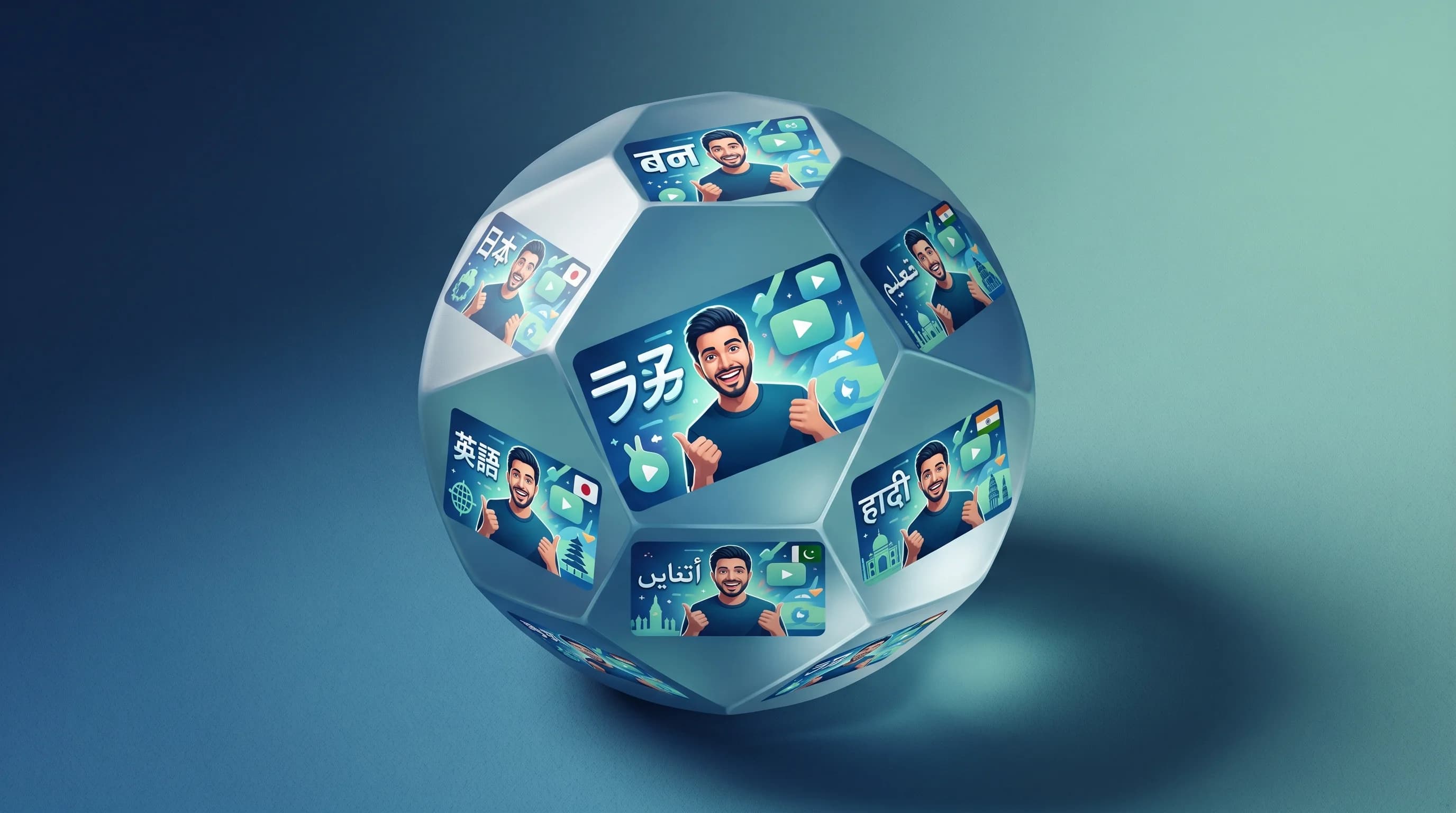
YouTube has 2.7 billion users. Over 80 percent of them are outside the United States. And until recently, every single one of those viewers saw the exact same thumbnail for your video — regardless of whether they spoke English, Spanish, Hindi, or Japanese.
That changed in early 2026 when YouTube rolled out localized thumbnails tied to multi-language audio tracks. Creators can now upload different thumbnail versions for different languages, and YouTube will automatically serve the right one based on each viewer's language settings. It is one of the most underused growth features on the platform right now, and the creators who figure it out first are going to have a significant advantage.
Here is how to think about it, design for it, and actually set it up.
Why Your Thumbnail Needs to Speak the Viewer's Language
The logic behind localized thumbnails is simple. A thumbnail is not just an image — it is a communication device. It tells a potential viewer what the video is about, what tone to expect, and whether it is relevant to them. When the text on your thumbnail is in a language the viewer does not read fluently, you are adding friction to that communication at the exact moment you need to remove it.
The data backs this up. According to YouTube's official blog, creators who uploaded multiple audio tracks saw over 25 percent of their watch time coming from non-primary languages. Jamie Oliver's channel reportedly tripled in views after adopting multi-language audio. And those numbers happened before localized thumbnails existed — when international viewers were still clicking on English-only thumbnails paired with dubbed audio.
Now imagine what happens when the thumbnail itself matches the viewer's language. You remove the last barrier to the click.
YouTube has 2.7 billion monthly active users globally as of 2026, according to Global Media Insight. India alone accounts for over 500 million of those users. Brazil, Indonesia, and Japan each contribute hundreds of millions more. If your thumbnails only speak English, you are ignoring the majority of the platform's audience.
How Localized Thumbnails Actually Work
The feature is tied to YouTube's multi-language audio system. Here is the step-by-step:
Step 1: Add multi-language audio tracks. You can either upload your own dubbed versions or use YouTube's auto-dubbing feature, which is now available to all creators in 27 languages. YouTube's "Expressive Speech" update in early 2026 made auto-dubs sound significantly more natural, mirroring pitch and intonation from the original audio.
Step 2: Go to YouTube Studio and navigate to the Language page for your video. Next to each language's audio track, you will see an option to upload an alternate thumbnail.
Step 3: Upload a custom thumbnail for each language. YouTube will automatically serve the matching thumbnail based on the viewer's language preference or location.
Step 4: Save and publish. There is no approval process. The thumbnails go live immediately.
The important detail: this feature requires multi-language audio tracks as a prerequisite. You cannot upload localized thumbnails for a video that only has one audio track. So the first step is always enabling multi-language audio, even if you start with auto-dubbing.
What to Localize (and What to Keep Consistent)
This is where most creators will get it wrong. Localization does not mean creating entirely different thumbnails for each language. It means adapting specific elements while keeping your brand recognizable.
Always localize the text. If your English thumbnail says "5 MISTAKES" in bold overlay text, your Spanish version should say "5 ERRORES" and your Portuguese version should say "5 ERROS." This is the single highest-impact change you can make. Viewers process text in their native language 20 to 40 percent faster than in a second language, which means your thumbnail communicates faster and more clearly.
Keep the layout and composition identical. Same subject placement, same background, same color palette. A viewer who subscribes from your Spanish thumbnail should recognize your English content in the suggested feed and vice versa. Brand consistency compounds across languages just like it does across videos.
Keep your face (if you use one) the same. Your expression, pose, and position should not change between language versions. The human face is a universal recognition signal. Changing it between variants destroys the consistency benefit.
Adapt cultural context carefully. Some visual metaphors do not translate. A thumbs-up gesture means approval in most Western cultures but is offensive in parts of the Middle East. Currency symbols, food references, and certain color associations vary by culture. When in doubt, keep it simple and universal.
Design thumbnails that work in any language.
Hooksnap generates AI-branded thumbnails from any YouTube URL. Test different styles and text in seconds. Free to try.
Try Hooksnap FreeThe Design Workflow for Multi-Language Thumbnails
Here is a practical workflow that keeps production manageable even if you are publishing weekly:
1. Design the master thumbnail in English first. Treat this as your base template. Make sure the text zones are clearly defined and have enough padding that translated text (which is often longer than English) will fit without breaking the layout.
2. Create a template with editable text layers. Whether you use Canva, Figma, or an AI thumbnail tool, save the design as a template where you can swap text without rebuilding the entire image. This turns a 30-minute localization job into a 5-minute one.
3. Translate the overlay text. For high-priority languages, use a native speaker or a professional translation tool. For lower-priority languages, Google Translate is acceptable for short thumbnail phrases — two to four words rarely have ambiguity. But always double-check with a native speaker if possible. A mistranslated thumbnail is worse than an English one.
4. Check text length. German words are famously longer than English equivalents. Japanese characters are more compact. Your text zone needs to accommodate the longest translation without shrinking the font below readability on mobile. A good rule: design your English text at 80 percent of the maximum zone width so translations have room to breathe.
5. Export and upload each variant. Name your files clearly — something like thumbnail-en.webp, thumbnail-es.webp, thumbnail-ja.webp — so you can quickly find and re-upload if you iterate later.
Which Languages to Prioritize
You do not need to localize into all 27 supported languages on day one. Start with the languages that represent the biggest opportunity for your specific channel.
Check your YouTube Analytics. Go to Analytics, then Audience, then look at "Top geographies." This shows you where your current viewers are. If 15 percent of your audience is in Brazil, Portuguese should be your first localization target.
Consider the competition density. According to AIR Media-Tech's 2026 research, Hindi has nearly 20 times more viewers per creator than English. That means less competition per viewer in Hindi markets. If your content has any relevance to Indian audiences, Hindi localization could yield disproportionate returns.
Start with the big five for most creators: Spanish, Portuguese, Hindi, Japanese, and French. These five languages cover the majority of YouTube's non-English audience and represent the fastest-growing markets on the platform in 2026.
Add Korean, German, Indonesian, and Arabic as second-tier targets. These markets are large enough to justify the effort once your localization workflow is established.
Measuring the Impact
Localized thumbnails do not have their own dedicated analytics panel in YouTube Studio yet. But you can track the impact through a combination of existing metrics:
Watch time by geography. Compare watch time from target regions before and after you enable localized thumbnails. Give it at least 30 days and 5 to 10 videos to see a meaningful pattern.
Impressions by geography. If YouTube is showing your thumbnail more often in a specific region after localization, it means the algorithm is getting stronger engagement signals from that audience.
CTR by traffic source. Browse features and suggested video CTR in non-English markets should increase if your localized thumbnails are resonating. A lift of 0.5 to 1.5 percentage points in CTR from a specific region is a strong positive signal.
Subscriber geography mix. Over time, successful localization should shift your subscriber base toward a more international distribution. Track this monthly.
Common Mistakes to Avoid
Machine-translating idioms. "This blew my mind" does not translate literally into most languages without sounding awkward. Use simple, direct language in overlay text. Numbers and action words ("5 tips," "before/after," "secret") translate cleanly across languages.
Using text-heavy thumbnails. The more text you have, the harder localization becomes. This is another reason why the 2026 trend toward minimal text — one to three words maximum — works in your favor. Fewer words means fewer translation errors and faster production.
Ignoring mobile readability. Over 70 percent of YouTube watch time happens on mobile devices. Your localized text needs to be readable at small sizes. Test every language variant by viewing the thumbnail at actual mobile dimensions before uploading.
Localizing everything at once. Start with your top five performing videos. Localize those first, measure the impact, then decide whether to roll it out to your entire library. Going all-in on day one is a recipe for burnout with no data to validate the effort.
Forgetting right-to-left languages. Arabic and Hebrew read right to left. If your text zone is anchored to the left side of the thumbnail, the text might look awkward or unbalanced in RTL languages. Consider mirroring the text placement for these variants.
How This Connects to YouTube's Bigger Strategy
YouTube is building for a multilingual future. Auto-dubbing in 27 languages. Multi-language audio tracks. Localized thumbnails. AI lip-sync for dubs. These are not isolated features — they are pieces of a coherent strategy to make every video accessible to every viewer on the planet.
The creators who align with this strategy early are the ones YouTube's algorithm will reward. When you localize your thumbnails, you are telling YouTube's systems that your content is relevant to viewers in multiple markets. That signal gets fed back into the recommendation engine, which shows your content to more international viewers, which generates more engagement, which triggers more recommendations. It is a flywheel.
The window of opportunity is now. Most creators have not even enabled multi-language audio yet, let alone localized thumbnails. The competition density in non-English markets is a fraction of what it is in English. Every month you wait, more creators will catch on and the advantage will shrink.
Getting Started This Week
Here is a concrete action plan:
-
Today: Enable auto-dubbing for your three most recent videos in at least two languages (Spanish and Portuguese are the safest starting points for most English-speaking creators).
-
This week: Design localized thumbnail variants for those three videos. Keep the layout identical, translate the text, and upload them through YouTube Studio.
-
In 30 days: Check your analytics. Compare watch time and impressions from Spanish and Portuguese-speaking regions before and after the change.
-
Month two: If the data is positive, expand to five languages and start localizing thumbnails for new uploads as part of your standard publishing workflow.
The entire process adds about 15 minutes per video once your template system is in place. That is a small investment for access to an audience that is, for most English-speaking creators, 5 to 10 times larger than their current viewer base.
YouTube built the tools. The global audience is waiting. The only question is whether you will meet them where they are — starting with the first thing they see: your thumbnail.
See how Hooksnap creates click-worthy thumbnails
AI-powered thumbnail generation that helps your YouTube videos get more clicks.
View PlansRelated Articles
Multi-Channel YouTube Thumbnail Strategy: Coherent at Scale in 2026
Running 2+ YouTube channels? The cross-channel thumbnail system that keeps a portfolio recognizable without making every channel look identical — 2026 data inside.
YouTube's 3 Audience Segments: Thumbnail Strategy for Each
YouTube classifies your audience into new, casual, and regular viewers. Each clicks for different reasons. Design thumbnails that convert all three.

YouTube Thumbnail Niche Formulas: Visual Grammar by Category
Each YouTube niche has its own visual grammar. Here's the exact thumbnail formula that drives CTR for gaming, finance, education, cooking, and tech channels.
Related Tools
Ready to boost your CTR?
Stop losing clicks to boring thumbnails. Get AI-generated thumbnails in under 60 seconds.
Get Started Free

